
Description
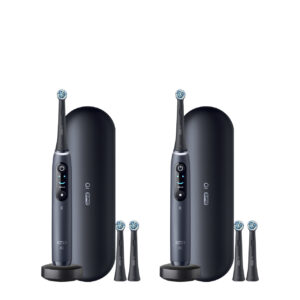
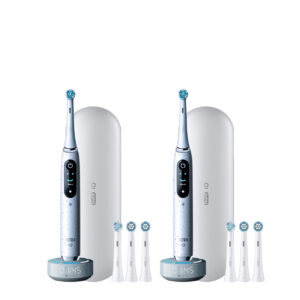
The iO Series 9 electric toothbrush delivers a more personalized and professional clean for 100% cleaner teeth and healthier gums than a manual toothbrush.
Product Details & Gallery


$329.99
The iO Series 9 electric toothbrush delivers a more personalized and professional clean for 100% cleaner teeth and healthier gums than a manual toothbrush.
Reviews powered by Bazaarvoice
the perfect brush for my teeth
The Oral-B iO Series 9 uses a long-lasting rechargeable lithium-ion battery designed for extended use between charges. It also has a low-charge indicator, so you’ll know when it’s time to recharge.
To change the language on your Oral-B iO Series 9, follow these steps: Make sure your toothbrush is switched on. On the interactive display, tap the Settings (gear) icon. Scroll through the menu until you find the Language option. Select the Language option and then scroll through the available languages. Tap on your preferred language to confirm the change.
The 7 brushing modes available on the Oral-B iO Series 9 are Daily Clean, Whiten, Gum Care, Sensitive, Super Sensitive, Intense, and Tongue Clean.
Yes. The Oral-B iO Series 9 uses 3D Teeth Tracking to help guide whole mouth coverage.
Yes, the Oral-B iO Series 9 can sync brushing data with Apple Health, but it does so through the Oral-B App. Once you pair your toothbrush with the app via Bluetooth, you can enable integration with Apple Health to automatically share your brushing statistics. However, direct syncing with other fitness apps may not be available.
The Oral-B iO Series 9 doesn’t feature a dedicated manual off button like some other models. Instead, it’s designed to power down automatically once you complete your brushing session or after a period of inactivity. Here are a couple of points to consider: When you press the power button to start brushing, the brush will run for the set cycle, typically two minutes, and then automatically shut off. If you decide to stop brushing before the cycle ends, you can usually press the power button briefly. This action will end the brushing session, and the toothbrush will then power down shortly afterward. Alternatively, placing the toothbrush back on its charging station is a good way to ensure it’s not active.
 iO Ultimate Clean Replacement Brush Heads, 2-Count, White
 Vivid Whitening Manual Toothbrush
 Pro-Health Sugar Defense Manual Toothbrush
 Pro-Health Manual Toothbrush
Reviews
There are no reviews yet.